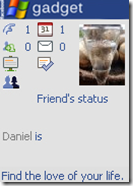
image: Facebook Gadget for your desktop
Sometimes my friends complain that I don’t even have time to reply them on a facebook. Yes, that’s true to some extent because about two months ago I was in mess since I had a lot of tasks to do and no time, you can say mismanagement. So, I decided to cut the time from facebook, twitter and all that stuff on internet. It wasn’t long when I started losing friends.
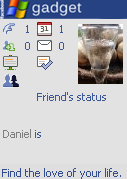
But now again I am pretty much active all over again and this has been made possible with the Facebook gadget where you receive all the updates right on your desktop. But remember, it’s a creepy stuff and take my advice on that, use it efficiently to save your time not to intrude your work.
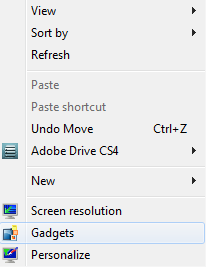
The download link to gadget is provided at the end of this article. After you install the gadget, right click on your desktop and choose “Gadgets”.
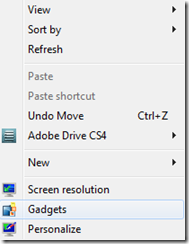
image: Right click on your desktop to open up the installed gadgets
In the coming screen, double click the “fVgadget” and that’s all. You will be able to see the gadget on your desktop. Login to your account and enjoy!
Download Facebook Gadget
Write an email to the author of this post at adnan@techskipper.com