iPhone Firmware 3.1.3 Baseband 05.12.01 – Downgrade Available
Please have one thing clear in your mind before you go through this post, it is that the following directions will not work for 3GS. It will only help to downgrade iPhone 3G. iPhone OS 3.1.3 with baseband 05.12.01 along with the older bootloader 05.08.
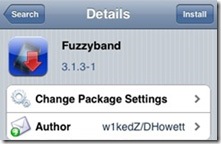
The latest version of Fuzzyband is the software for you if your iPhone meets the above mentioned criteria. Fuzzyband will help you downgrade your iPhone 3.1.3, 01.1201 baseband to the older 04.26.08 even if your iPhone has been upgraded from iTunes. Downgrading the iPhone has been downgraded, ultrasn0w can be used to unlock the iPhone on iPhone 3.1.3 firmware.
Follow the steps given below and unlock your iPhone:
Step 1:
To downgrade your baseband from 05.12.01 to 04.26.08 the iPhone 3G running firmware 3.1.3 must first be jailbroken. To jailbreak your device click How To – Jailbreak IPhone 3G 3GS 3.1.3 With Sn0wbreeze – V1.3
Step 2:
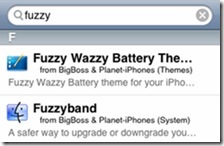
Once the iPhone has been jailbroken, go to Cydia on your iPhone and search for Fuzzyband and install the application.
Step 3:
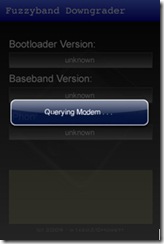
After installing Fuzzyband all you have to do is click the Downgrade button to downgrade the baseband from 05.12.01 to 04.26.08
Step 4:
You are now all set to unlock your iPhone 3G using ultrasn0w.
NOTE: If you do not know the version of bootloader you have, all you have to do is run Fuzzyband to check it.
Follow us on Twitter @TechSkipper
Write an email to the author of this post at jawad@techskipper.com
Baseband 04.26.08, Baseband 05.12.01, fuzzyband, iPhone Baseband downgrade, iPhone firmware 3.1.3
Did the procedure above after accidentally updating to 3.1.3. AFter running Fuzziband I get the following error message: Sorry, downgrading will only work with Baseband Bootloader 05.08 (I seem to have 05.09)
Are you running jailbroken 3.1.3 firmware on your device?
Thank you now I have my iphone Unlocked with the 3.1.3 firmware