Remote Access with conference and chat !
You have surely heard of software providing remote access so that you can personally have a view of your client’s PC to fix the problem. This is surely an old idea, now what about the situation in which you can solve the problem while viewing your client wait with a cup of a coffee. hmmn, that’s interesting! Team Viewer has recently released its 5th version having these features.
Team Viewer is a free software (for private users) which allows users to connect to a remote computer and perform operations as if you were there and all this is done with an easiest way ever known. You only need to install the software and run it. The software will automatically acquire an ID and password. The PC to which you want to connect is also required to do the same and that’s all. Now, you can give your ID and password to other people if you want them to connect to your PC or you can take some one’s else ID and connect to him. Yes, it’s that simple.
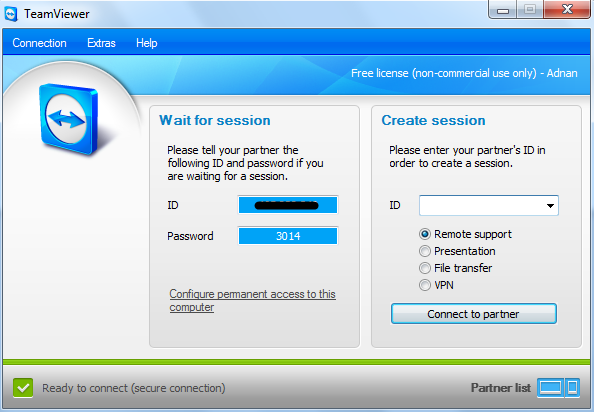
The feature of team viewer which I like the most is it’s capability to take care of all the firewalls and other stuff. Secondly, some ISP give private IP to the end user which makes it’s difficult to connect to but in case of Team Viewer, even if you have a private IP assigned by your ISP, you get an ID. You don’t have to worry about IP addresses whether public or private.
In this latest version, you can now manage your partners list which allows you to view if your partner is online. If it is online, you can exchange instant messages as well.
( write an email to the author of this post at adnan@techskipper.com )
conference, remote access, team viewer, teamviewer